
SsakSsak
A Mac cleaner that tells you why each item is safe to remove.
Caches, app leftovers and hidden big files —
swept away through the Trash.
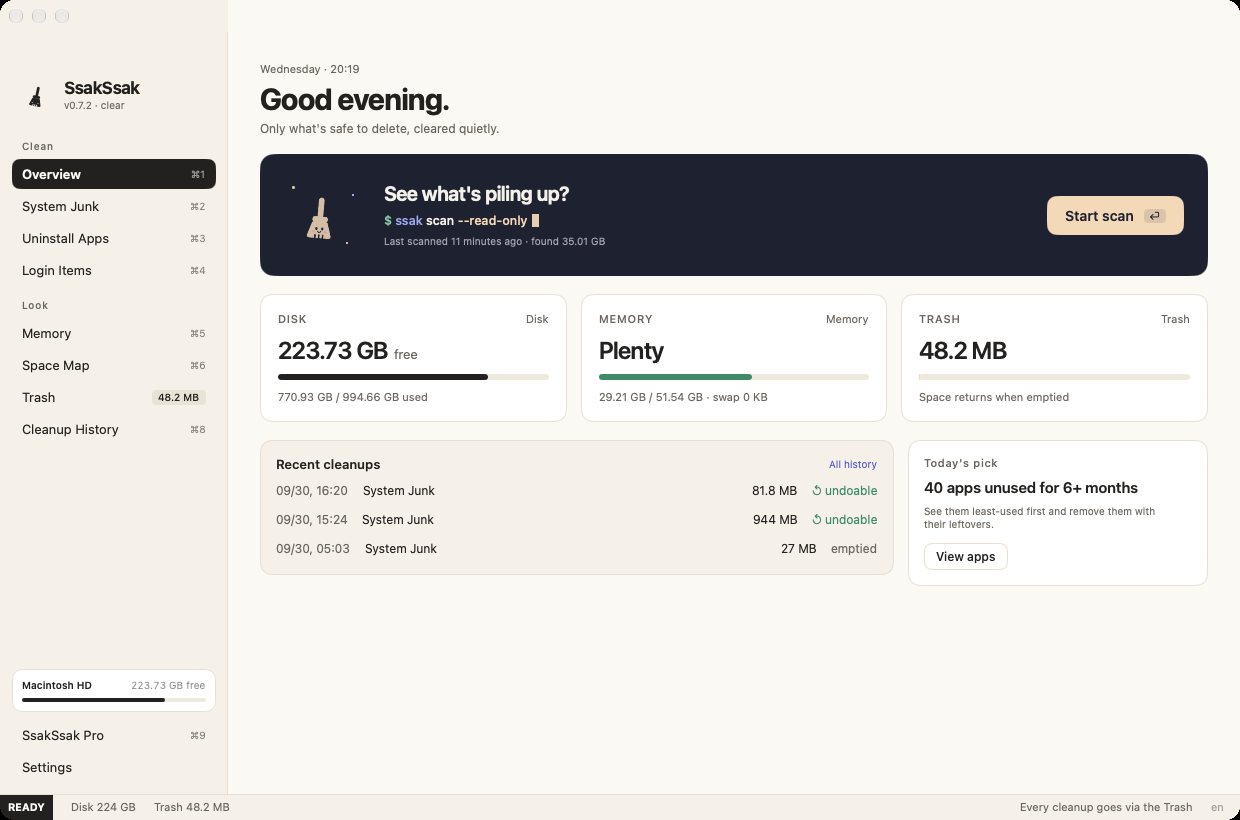
If Mac cleaners made you nervous
Worried they'd delete the wrong thing, tired of scary warnings
Every item comes with a reason and a level: safe · careful · check first. Things that are slow to get back, like AI models and simulators, stay unchecked.
There is no direct delete. Permanent removal happens only when you press "Empty Trash". Every cleanup is kept in a history.
macOS files, Keychains, Mail, Messages, Photos libraries and iCloud folders are refused, whatever path leads there. Add your own folders · apps to Protected places and they're never touched.
The satisfying sweep
A broom sweeps, rows fly away, and the number fills up
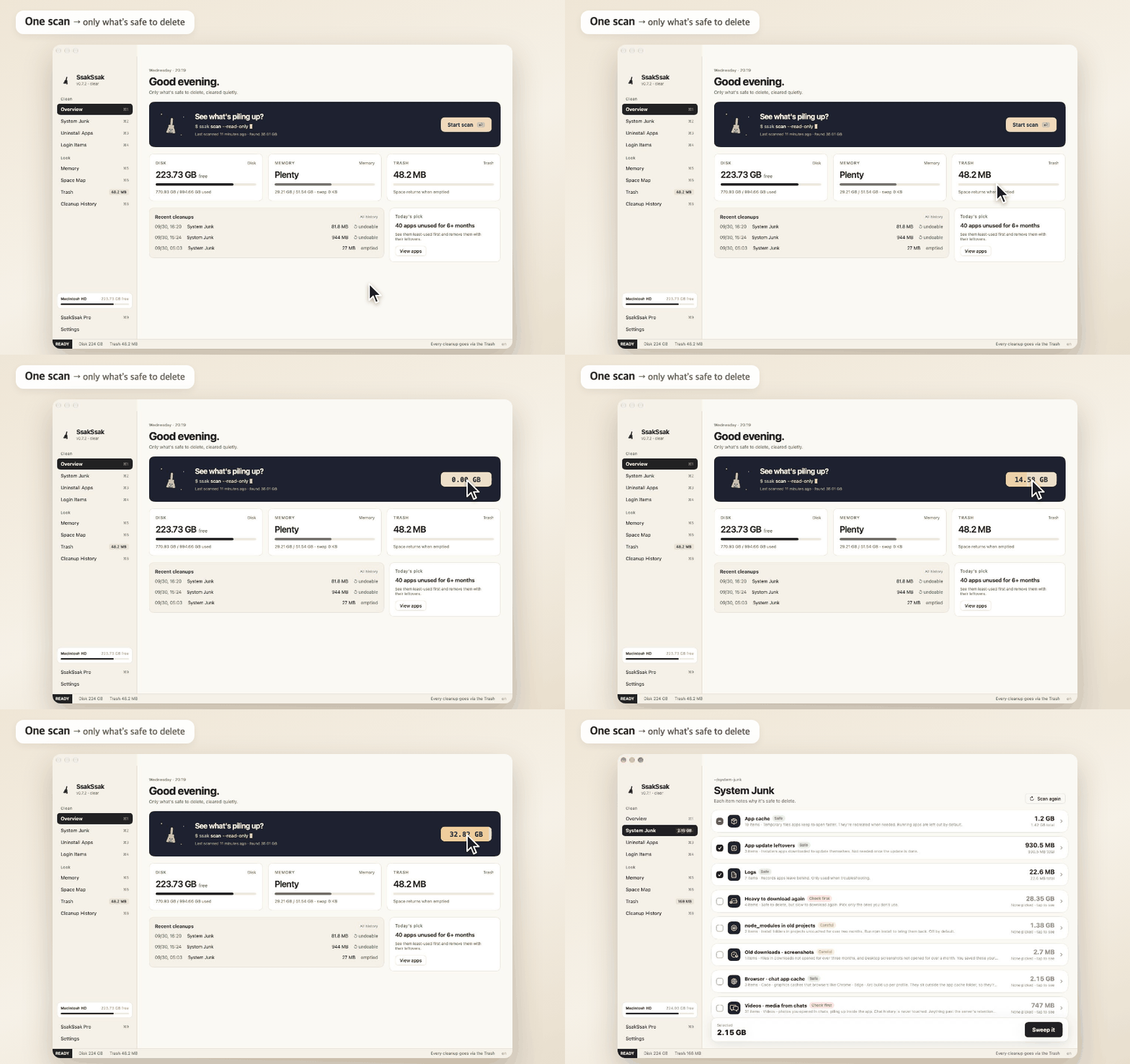
Finds only what’s safe to delete, grouped for you
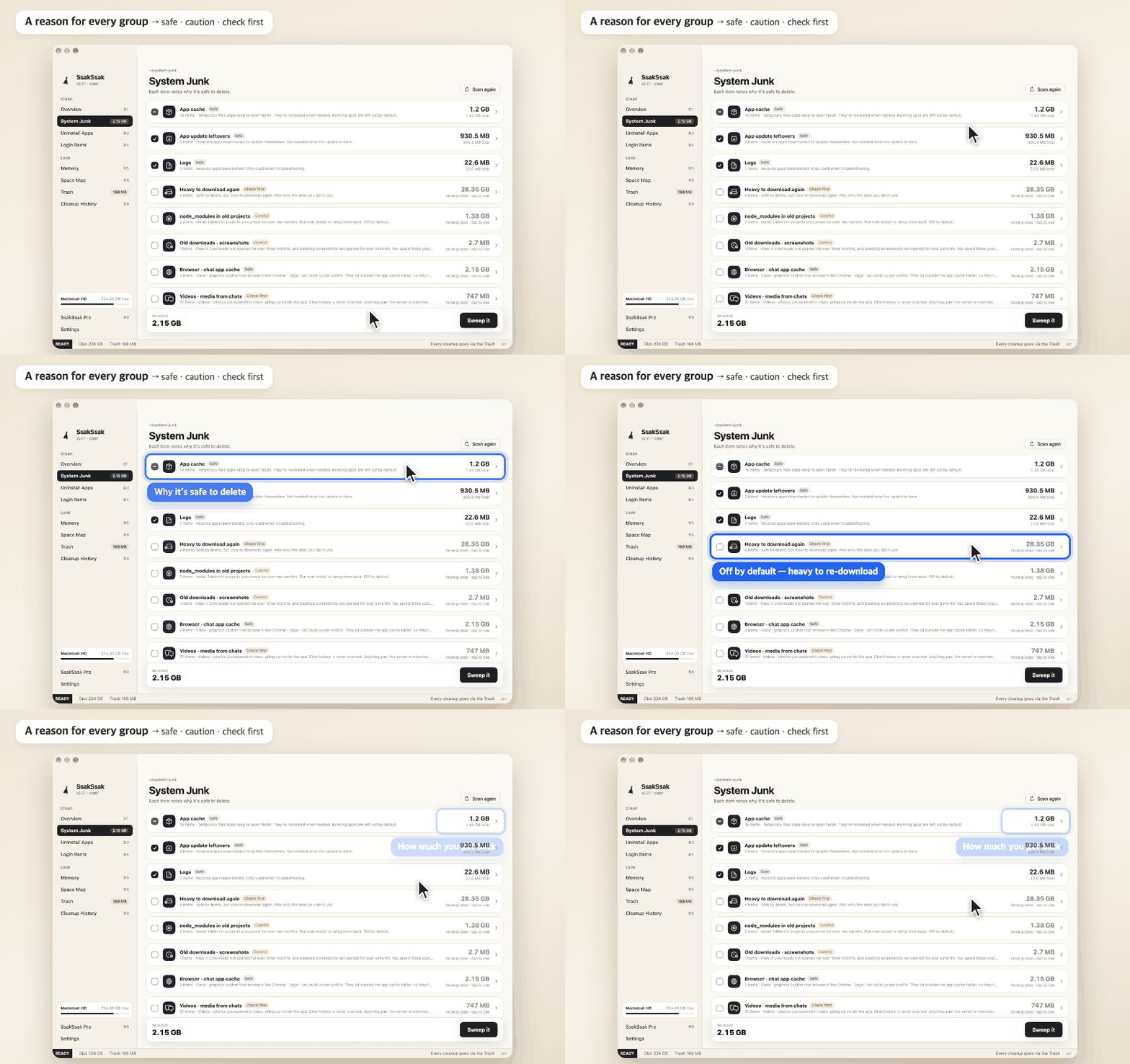
Safe · caution · check first — heavy re-downloads stay off by default
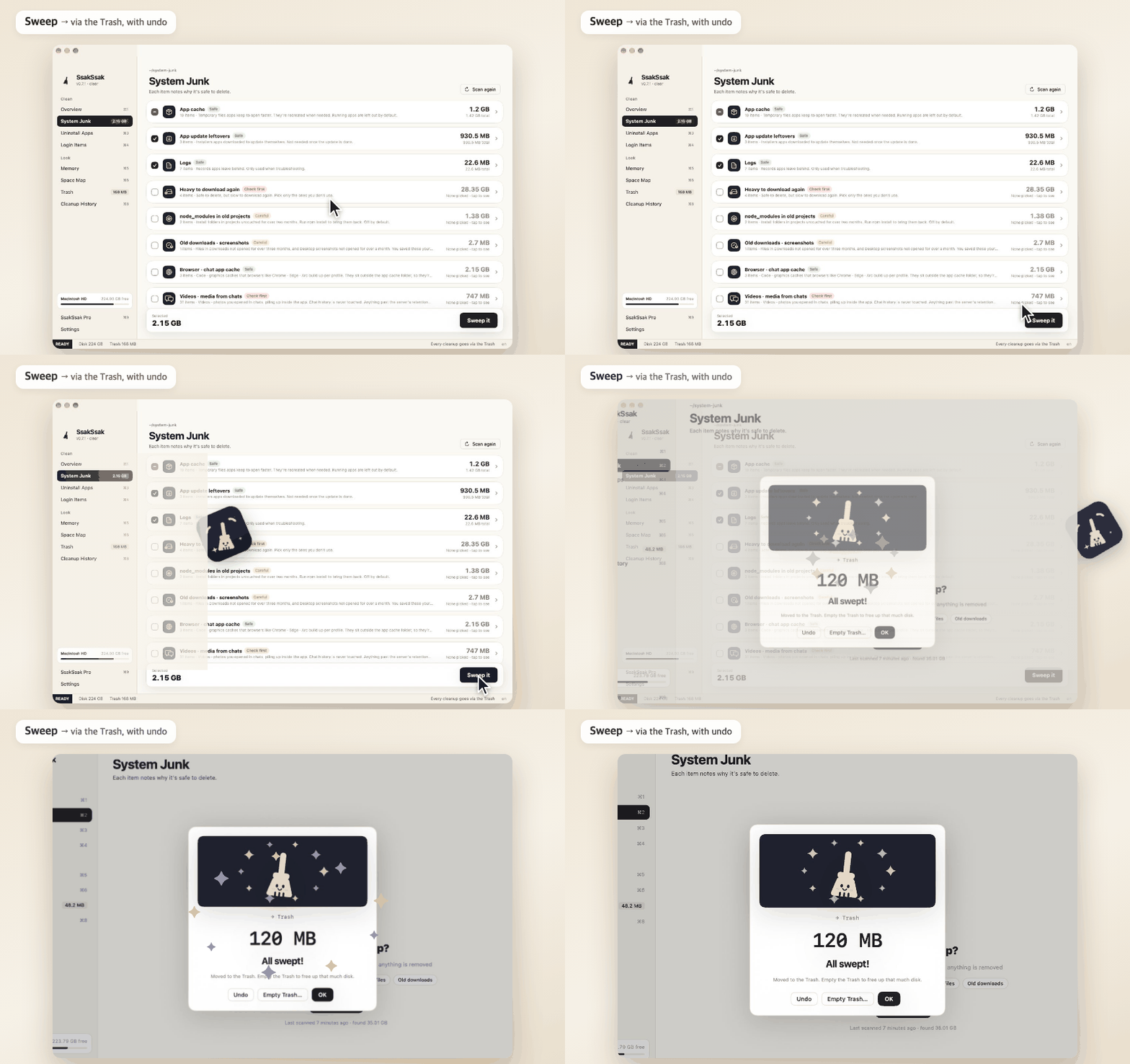
Everything goes via the Trash, and you can undo
Where your space goes
An answer to "why is System Data so big?"
| Where it leaks | What SsakSsak does | Free · Pro |
|---|---|---|
| Piling up | ||
| App caches · logs · updater leftovers safe | Only what apps rebuild is checked by default | Free |
| Developer tools Safe | Xcode · npm · Gradle · Homebrew · pip · Cargo · Rust · Android · Swift packages · old JetBrains versions | Free |
| Build leftovers in old projects careful | node_modules · target · .venv · .build · Pods … only projects untouched for a month · git-tracked folders skipped · off by default | Free |
| Unfinished downloads Safe | Stalled .crdownload · .part pieces · only ones untouched for 3+ days | Free |
| Old downloads · Desktop screenshots careful | Shows when you last opened them · off by default | Free |
| Browser · in-app caches Safe | Per profile in Chrome · Edge · Whale, plus in-app caches of Slack · Discord · code editors — running apps are left out | Free |
| Videos received in KakaoTalk · Telegram Check first | Only cached videos you opened in chats · chat history is never touched · off by default | Free |
| Downloaded installers Careful | Recognizes .dmg · .pkg files of apps already installed | Free |
| Video · design work caches careful | Premiere · After Effects · DaVinci · CapCut caches and Final Cut render files · source footage and projects untouched · off by default | Free |
| Hidden and big | ||
| Time Machine local snapshots | See how many are left and delete them (admin password) | Free |
| iPhone updates · Mail attachment copies · macOS installers | In places Finder rarely shows | Free |
| AI models · simulators · iPhone backups check first | Shown but unchecked — slow to get back | Free |
| Docker disk image | Explains why it doesn't shrink and how to shrink it | Free |
| Offload iCloud copies | Make room without deleting — removes only the Mac copy of files you haven't opened in a while; they stay in iCloud | Pro |
| For Macs in Korea | ||
| Korean banking · public security programs | Finds installed ones (AhnLab, Veraport, Delfino, TouchEn, AnySign…) with their size, and points you to each official uninstaller | Free |
| Expired Korean certificates Check first | Only certificates past their expiry date · off by default, you pick | Free |
| Apps | ||
| Real app size | The app plus the settings · cache · data it built up (e.g. KakaoTalk 1.48 GB) | Free |
| Complete uninstall | Settings · caches · containers · plug-ins · extensions · launch agents, skipping parts shared with other apps · points to an official uninstaller when there is one | Free |
| Apps you haven't opened in six months | Sort by least recently used or by size | Free |
| Login items check | What starts at login, and broken items whose app is gone | Free |
| Uninstall several apps at once | Several unused apps with their leftovers in one go | Pro |
| Leftovers of deleted apps | What apps you removed long ago left behind · finding is free | Pro |
| Trash watch | Drag an app to the Trash in Finder and it asks about the leftovers too | Pro |
| Reset an app | Keeps the app, clears its settings · cache for a fresh start | Free |
| Space · memory | ||
| Space map · big files | Which folder is big, by size or least recently used | Free |
| Duplicate finder | Identical copies of files over 10 MB, compared by content | Pro |
| Memory | No "free up RAM" — pressure, swap, who is using it, and Quit | Free |
| Mac health score | A score from disk · memory · swap · Trash with a one-line diagnosis, and why points were lost | Free |
| Cleanup reminders | A small note when disk runs low or junk piles up · never deletes on its own | Pro |
| What grew since last time | Compares each scan and points to folders that suddenly got bigger | Free |
| Auto clean | Once a week, moves only rebuildable cache · logs to the Trash and tells you · only if you turn it on | Pro |
| Empty only old Trash | Keeps what you trashed recently and permanently deletes only items that sat there for 7+ days | Pro |
| Cleanup rules | Rules like "installers to the Trash after 2 weeks" or "screenshots to an archive folder after a month", run once a day | Pro |
| Menu bar dashboard | Click the icon for disk · memory · battery · CPU · network · connected device batteries and one thing to do today | Free |
| Clean & eject external drives | Removes ._ files · .DS_Store · the drive's Trash that other computers don't use, then ejects | Free |
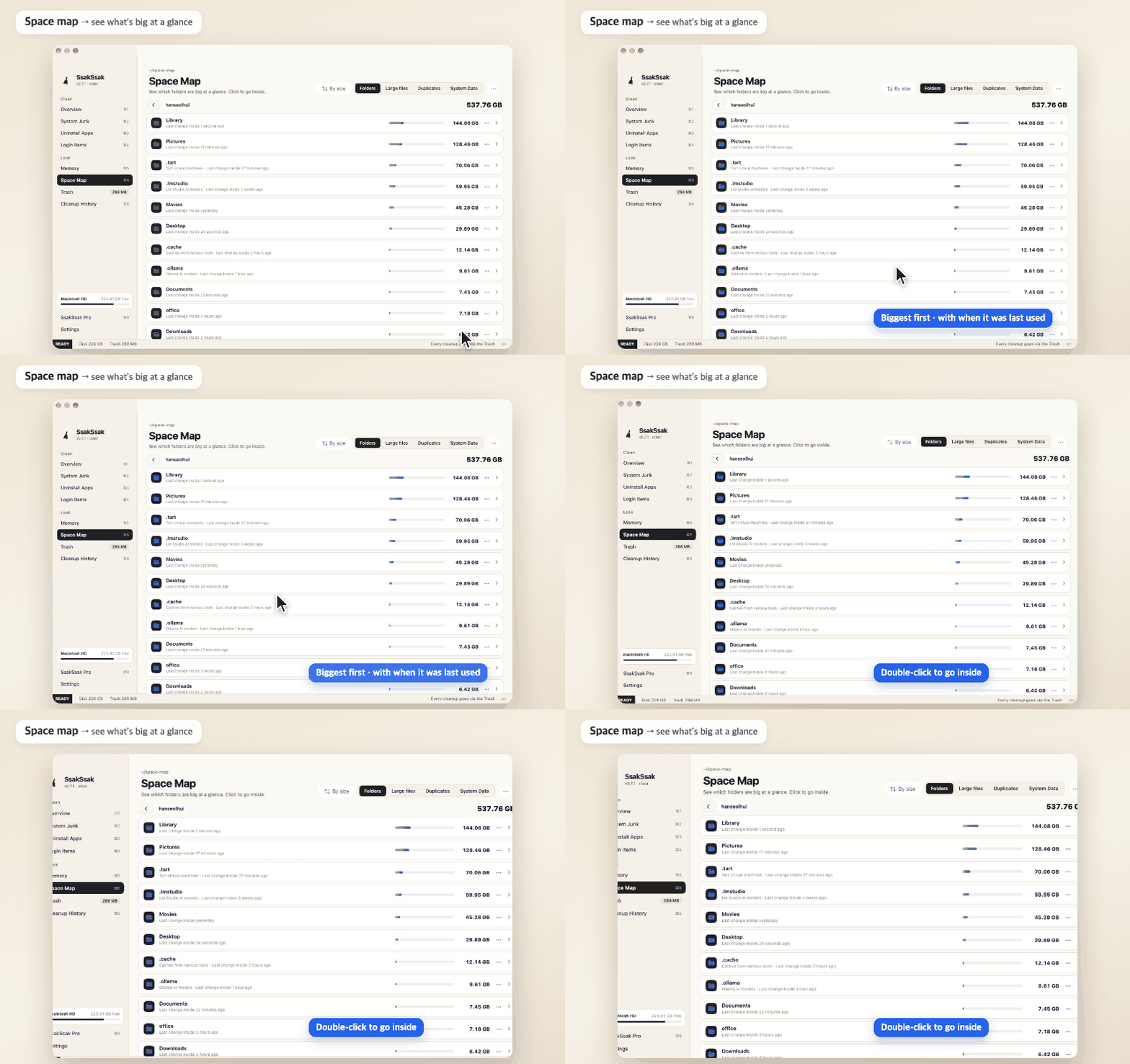
Space map
Double-click to go inside · by size or least recently used · pick an external SSD · USB drive · SD card directly
A 525 GB home folder with 1.56 million files in about 20 seconds (measured on an M4 Pro Mac)
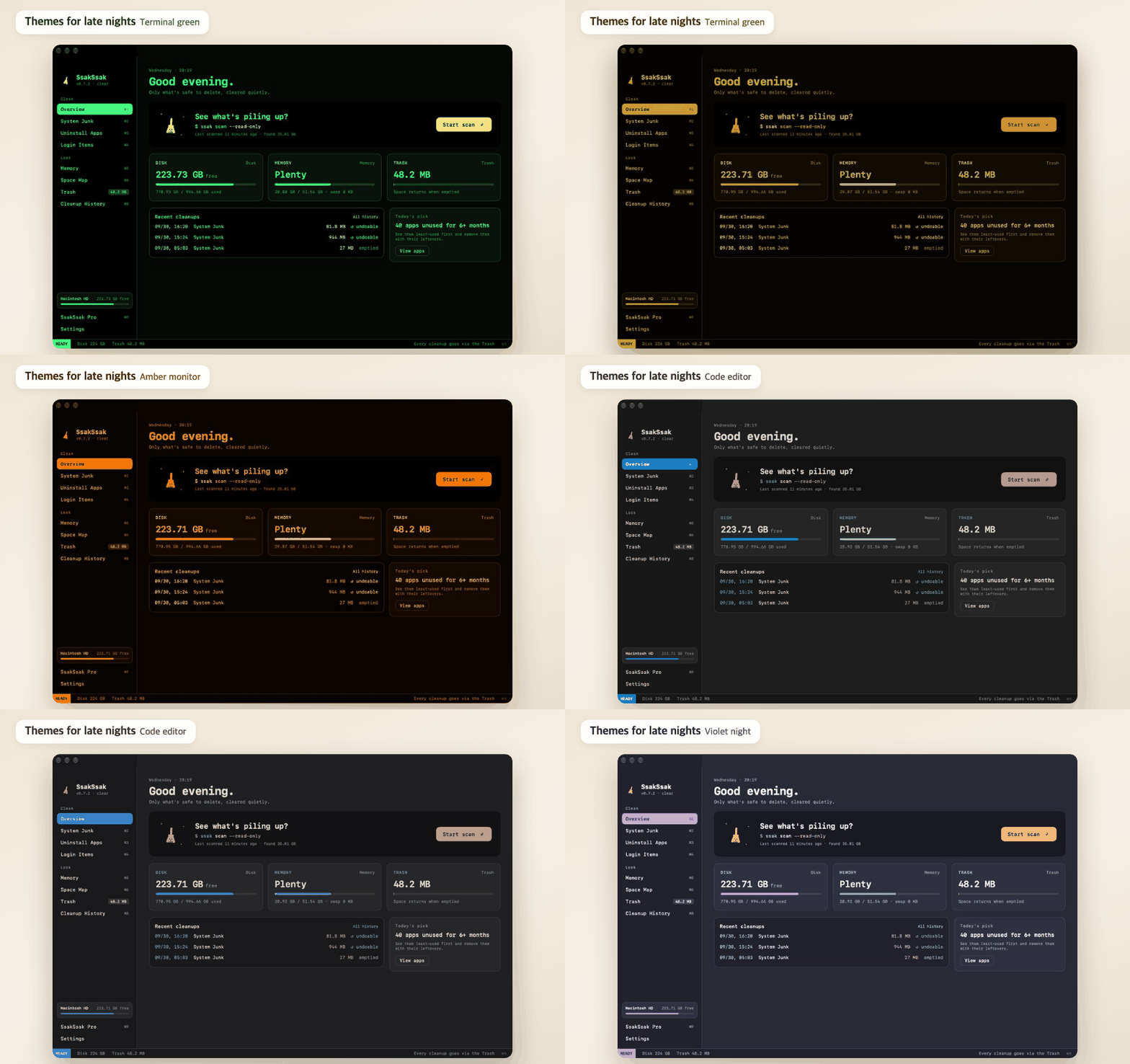
Themes for late-night coding
Lo-fi desk · Night desk · Sakura dawn · Terminal green · Amber monitor · Code editor · Violet night — pick one in Settings
What SsakSsak won't do
No red "1,234 problems found" warnings.
macOS already frees that cache when it needs to, so clearing it doesn't make your Mac faster.
Your scan results and the files you clean are never sent. The internet is used only for update and license checks, anonymous usage stats only if you turn them on (off by default) and feedback you send yourself.
Get Pro
One-time purchase
SsakSsak Pro
One-time purchase
- Trash watch — leftovers when you trash an app
- Cleanup reminders — low disk · once a week
- Clean leftovers of deleted apps
- Duplicate finder
- Uninstall several apps at once
- Auto clean — once a week, on its own
- Offload iCloud copies — make room without deleting
- Empty only Trash items older than 7 days
- Cleanup rules — installers · screenshots · downloads on their own
You can try each Pro feature 3 times.
Junk cleaning · uninstall · space map work without Pro
Buy for $4.99 (50% off)Card payment (Gumroad) · your code arrives by email right away
Secure checkout by Gumroad
- Pay by card
- Copy the code starting with SAK- from your email
- SsakSsak → SsakSsak Pro (bottom left) → paste → Register
After you pay
More from SeoriArts
Make your Mac fit your hands
 TokTok
Trackpad gestures — tap beside to go back, tile windows
 KokKok
Make any mouse's buttons and wheel your own
 SsokSsok
Tuck menu bar icons into a cat box
FAQ
Does it only remove things that are safe?
By default it only checks what apps rebuild on their own: caches, logs and developer leftovers.
Files people made (downloads, screenshots, node_modules) and things that are slow to get back (AI models, simulators, backups) are shown but left unchecked.
macOS system files, Keychains, Mail, Messages, Photos libraries and iCloud folders never even show up in the list.
I cleaned up but my disk space didn't change
SsakSsak moves everything to the Trash.
Space comes back when you empty it — press Empty Trash on the finish screen or under Space map → System Data.
Can I get files back after emptying the Trash?
No. Files removed by emptying the Trash or Delete permanently can't be restored by SsakSsak, and SeoriArts has no obligation to recover deleted files (Terms, Article 8-2).
While items are still in the Trash, you can put them back from Cleanup History.
Check the list before cleaning, and keep a backup such as Time Machine for important files.
Which languages does the app speak?
English, Japanese, Simplified Chinese and Korean. It follows your Mac's system language, and you can change it in Settings → General → Language.
Which permissions does it need?
With Full Disk Access it can find app leftovers, the size of your Trash and Mail attachment copies.
It works without it, but it may miss things. It shows you how to turn it on the first time you open it.
What it reads never leaves your Mac.
How is it different from CleanMyMac?
It's a one-time purchase, every item shows a reason and a risk level, and there are no scary warnings or "free up RAM" buttons.
It doesn't do malware scans or app updates — it focuses on cleaning.
My code didn't arrive
Check your spam folder first.
If it isn't there, enter the email you paid with on Resend code.
What if I switch Macs?
Enter the same code on the new Mac.
You can remove the old one on Manage devices.
How do I remove SsakSsak?
SsakSsak → Settings → Remove SsakSsak at the bottom moves the app, its settings, history and log to the Trash and quits.