
SsokSsok
Just one cat in a box on your menu bar.
Tuck rarely used icons into the box —
hover to open it, click an icon and its menu opens right there.
How it works
Hover to open · click to use in place · ⌃⌥Space to find

Passing by does nothing · click to keep it open
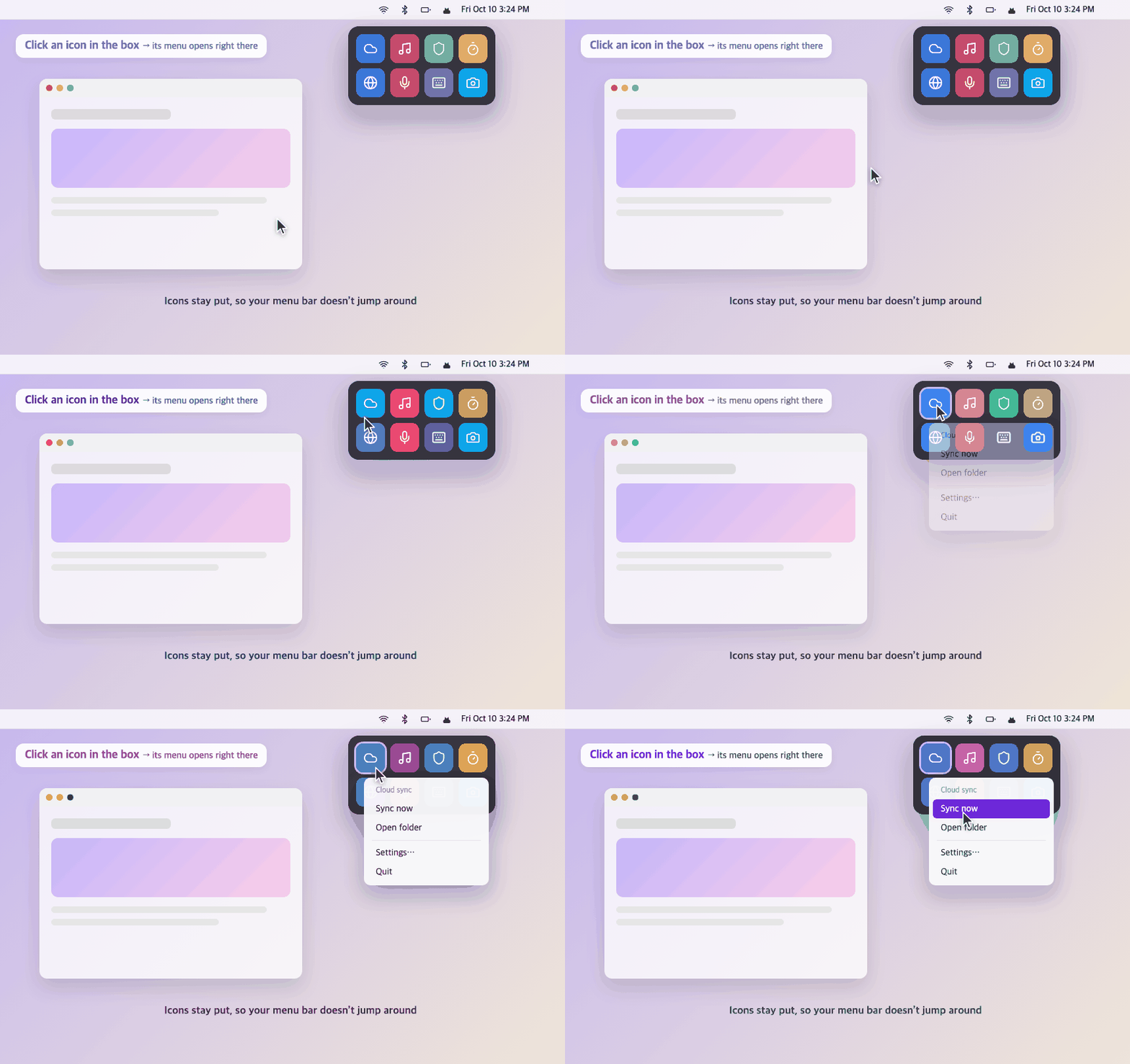
Icons aren't taken out, so your menu bar doesn't jump around

macOS 26: drop it on the cat and in it goes
macOS 27: tells you which app to turn off in Menu Bar settings

When an app in the box gets an alert,
the cat brings it out

Find apps, menu items, notes — and the menus of the app you’re using
Enter to run right away
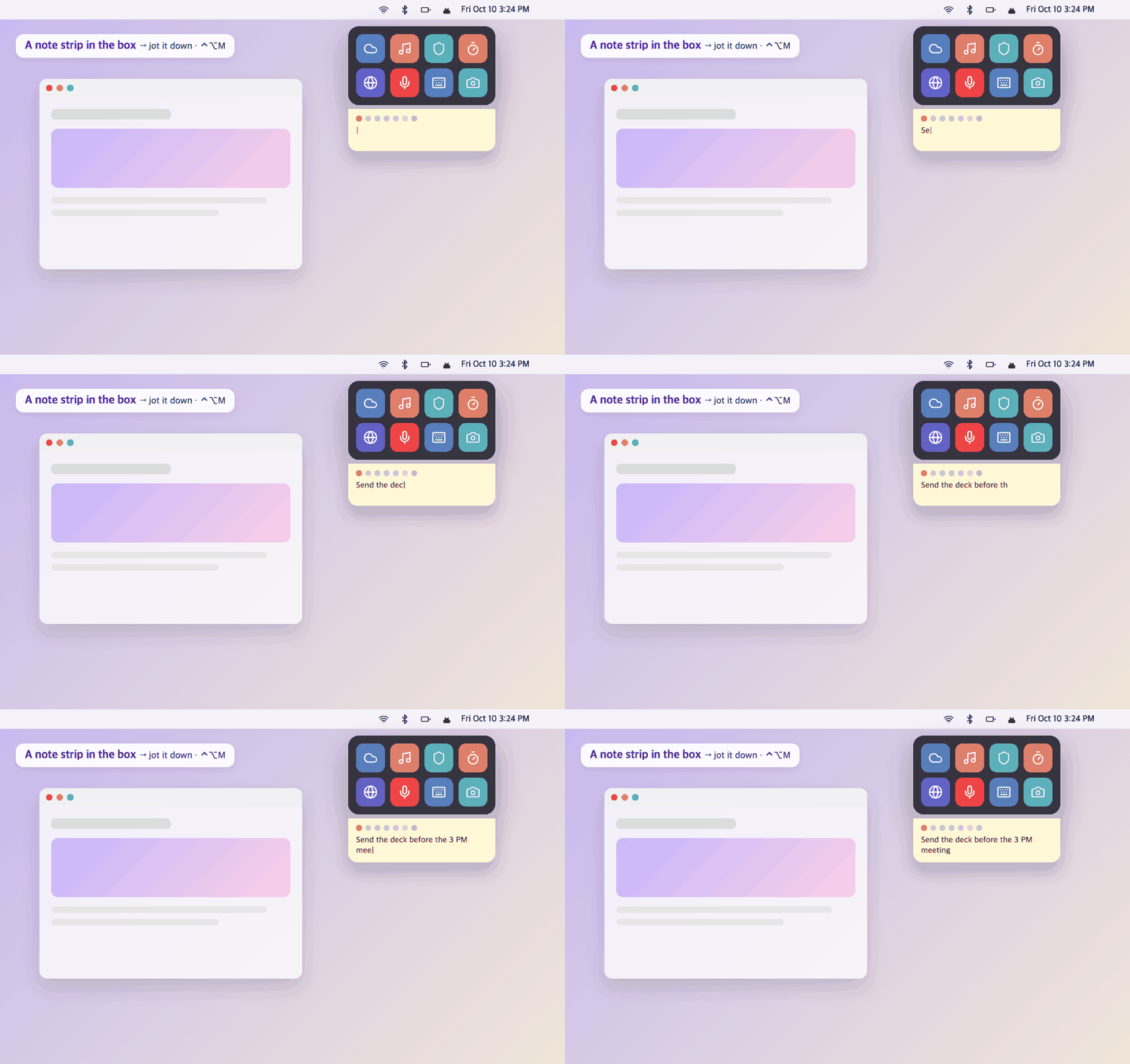
Write right in the note strip at the bottom of the box
⌃⌥M or ⌥-click the cat for a bigger view
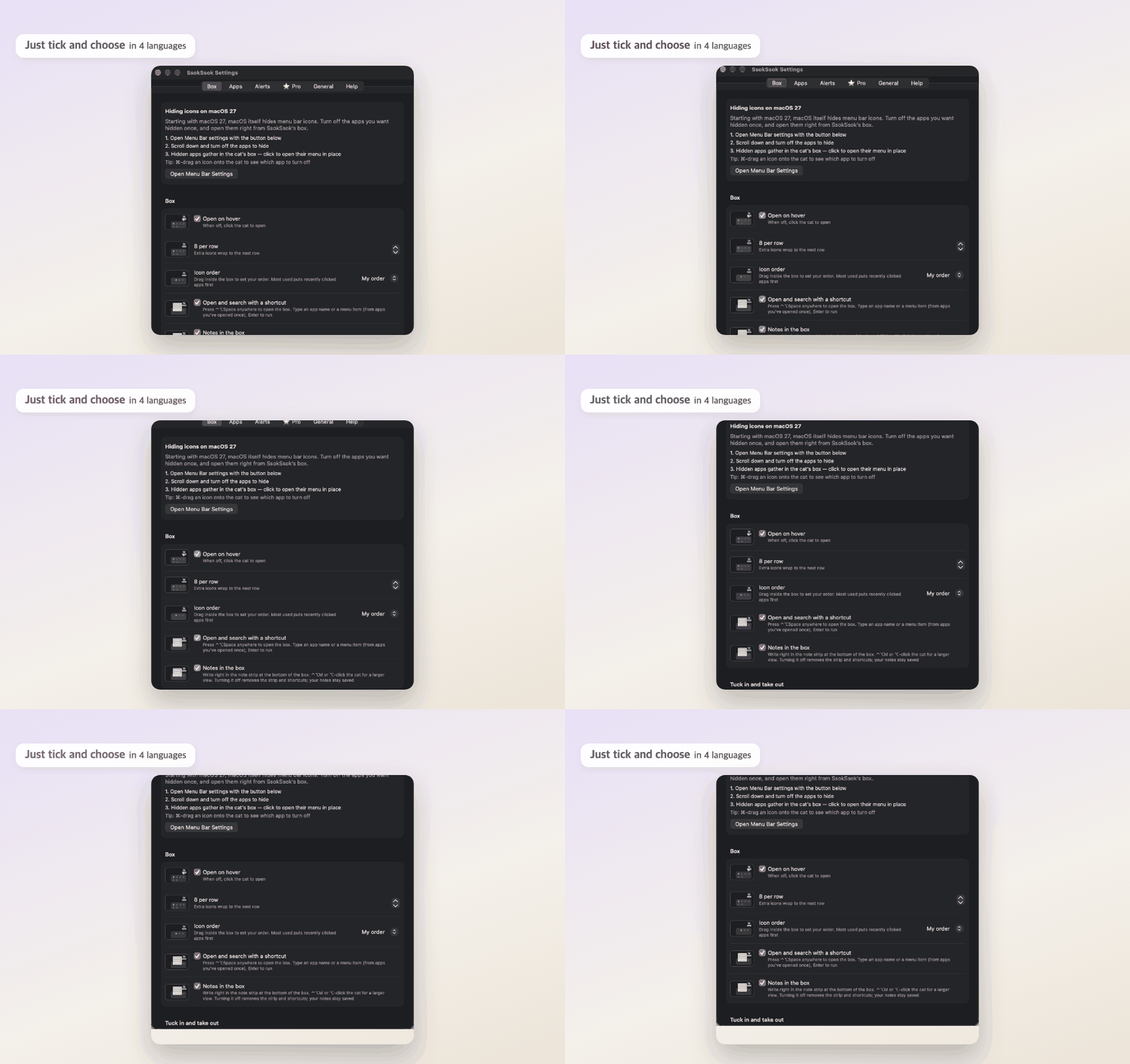
Every setting has an animated picture · in 4 languages
At a glance
That's everything there is to learn
| Do this | What happens |
|---|---|
| Hover over the cat | The box opens · click to keep it open |
| Click an icon in the box | Its menu opens right there, no taking it out (apps that show a window instead are taken out briefly and tucked back when closed) |
| Two-finger click an icon in the box | Open as the app draws it · keep in menu bar · quit app · alerts on/off |
| Hold ⌘ and drag a menu bar icon onto the cat | macOS 26: into the box · macOS 27: tells you which app to turn off in Menu Bar settings |
| Drag an icon from the box to the menu bar | macOS 26: lands to the right of the icon you drop it on · macOS 27: turn it back on in Menu Bar settings |
| ⌃⌥Space | Open the box anywhere and find apps, menu items, notes and the menus of the app you’re using (File · Edit · View …) · Enter to run |
| Note strip at the bottom of the box | Write right away · switch notes with the color dots · ⌃⌥M or ⌥-click the cat for a bigger view |
| Hover over an icon in the box | Shows the app name |
| A new icon appears in the menu bar (macOS 27) | The cat asks “Put it in the box?” and opens Menu Bar settings |
| Settings → Box | Order (my order · most used) · notes on/off · icon look (macOS 26) |
| Settings → Apps macOS 26 | Menu bar or box for each app · new icons go into the box automatically |
| Two-finger click the cat | Enable · Settings · Quit |
What's different
Clicking a hidden icon doesn't expand the menu bar
or move icons — the menu opens right in the box
When an app in the box gets an alert, the cat brings it out.
Only the app name is checked — content is never stored
App icons are shown without Screen Recording.
It's only requested if you want the menu bar look
SsokSsok Pro
Everything in Pro with one purchase
Notes in tabs, first line is the title.
Free includes one
Menu items as buttons at the top of the box ·
run with ⌃⌥1–9
Low battery · unplugged ·
while using a certain app — the icon comes out only then
Save your current layout by name
and switch from the cat's menu
Dress the menu bar cat as a bunny, bear, bow, hat
or a bunny in a magic hat. Carry it to another Mac with the settings file
Run menus from several apps in order with one button
e.g. Meeting mode = connect VPN + Do Not Disturb
Write “3pm meeting” or “15:30”
and the cat brings the note 10 minutes before
SsokSsok Pro
One-time purchase
- Multiple notes · time reminders
- Pinned menu items · ⌃⌥1–9
- ▶︎ Modes
- Cat wardrobe
- Show on conditions · profiles (macOS 26)
- Settings file export · import
Try the basics, then go Pro if you like it
Buy for $4.99Card payment (Gumroad) · your code arrives at your purchase email right away
- Pay (card)
- Copy the code starting with SOK- from the email
- SsokSsok Settings → ⭐ Pro → paste the code → Register
After purchase, 3 steps
Screenshots
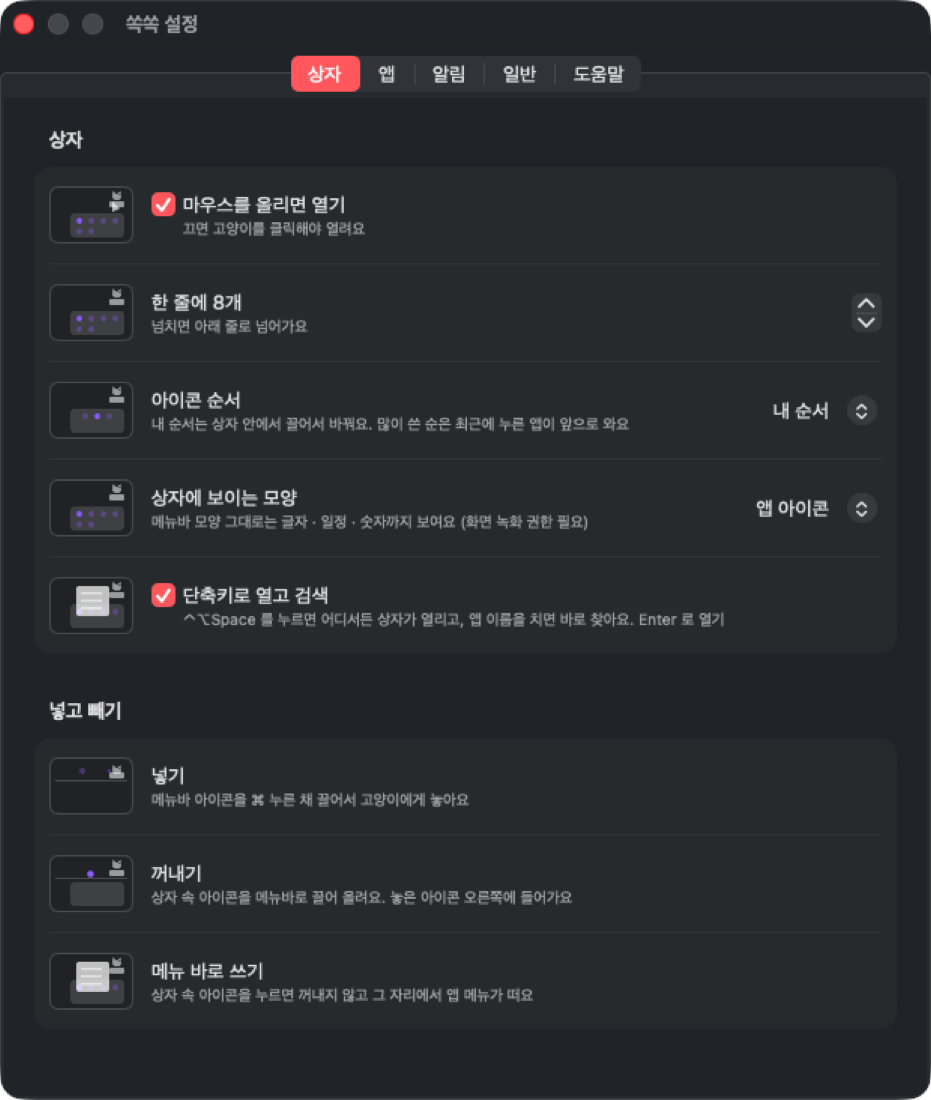
Two-finger click the cat → Settings… · same look as TokTok and KokKok
Install
First time only:
System Settings → Privacy & Security → Accessibility → turn on SsokSsok
brew install --cask hanseolhui/tap/ssokssokbash -c "$(curl -fsSL https://raw.githubusercontent.com/hanseolhui/ssokssok/main/install.sh)"FAQ
What permissions does it need?
Accessibility, to find and click menu bar icons.
Screen Recording is only asked for when you pick 'As the menu bar shows it' in Settings → Box.
On macOS 27 it also helps find every hidden icon. SsokSsok works without it.
Which languages does it support?
Korean, English, Japanese and Chinese. It follows your Mac's language, and you can change it in Settings → General → Language.
Does the cursor move when icons are moved?
Because of how macOS works, the cursor is borrowed for a split second when an icon is moved.
That's why the box opens menus in place instead of moving icons, and automatic moves only happen while your mouse is resting.
Some apps don't show up in the box
On macOS 26 and earlier, when the menu bar runs out of room — next to a MacBook notch, for example — macOS hides the overflowing icons,
and SsokSsok can't reach those either.
On macOS 27, icons macOS hides gather in the box too.
Some apps remove their icon entirely when turned off in Menu Bar settings, though.
Does it work on macOS 27?
Yes. Starting with macOS 27, macOS itself hides menu bar icons.
Turn off the apps you want hidden in System Settings → Menu Bar,
and they gather in the cat's box — click to open their menu in place.
⌘-drag an icon onto the cat and SsokSsok tells you which app to turn off.
On macOS 26 and earlier, SsokSsok hides icons itself and you tuck them in and out with ⌘.
Can I use it alongside Bartender, Ice or MenuBox?
Running two menu bar managers at once tangles the icons.
SsokSsok tells you at launch and offers to quit the other one.
Does it read my notifications?
It only checks which app a notification comes from.
Titles and content are never kept or stored.
You can also turn it off in Settings → Alerts.
How do I uninstall it?
Two-finger click the cat → Quit SsokSsok, then delete SsokSsok from Applications.
When it quits, all hidden icons come back to the menu bar.